



Your cards, on your customers’ phones.
Business card, loyalty card, gift card: your customers add them to Google Wallet on Android, from a link, an email or a QR code. For handing out in person, there are printed NFC and QR cards too.
Google Wallet on Android Updates without reinstalling Printed NFC and QR cards
We can design your cards now; they will go live in Google Wallet once Google activates our account. Printed NFC and QR cards are available right away.
Four cards, one simple gesture for your customers.
Digital business card
Your name, details and links, always up to date on the phone of everyone who receives it.
Loyalty card
Stamps or points, kept up to date on the card: customers see where they stand, with no paper card to lose.
Gift card
Send it by email or link: it lands on the phone with its code, ready to show.
Printed NFC and QR cards
Hold it near a phone or scan the QR code: your page opens so people can call you or save your contact.
Live examples from our own team:sognidigitali.com/oliver sognidigitali.com/chiara
Twelve sample cards to open and explore.
Tickets, loyalty cards, boarding passes, room cards, badges: we design them with your branding and deliver them to Google Wallet, ready to scan at the door, the till or the gate.
Examples of cards we can create for you. Ask for a demo to see them on your phone.
Events
Tickets that open the gate, remind the date and stay in the phone after the show.
- Request a demo
Tidelight Festival
3-day festival pass, 3 stages
Sample Tidelight FestivalParco DoraTidelight Festival 2027
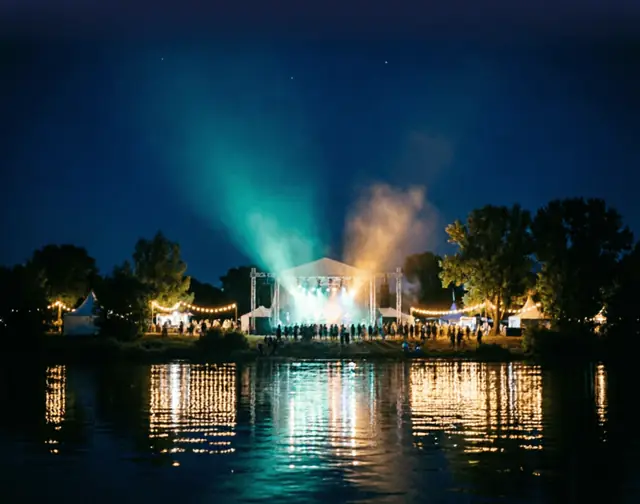
AI-generated image Request a demoOn the back of the card
In Google Wallet, these details appear when the customer taps the card.
- Dates
- 9–11 Jul 2027
- Pass
- 3 days · 3 stages
- Holder
- Giulia Ferraris
- Entry
- Gate B · Wristband
- Stages
- Harbour Stage · Meadow Stage · Lantern Stage
- Opening hours
- Gates open daily at 15:00 · Last set at 23:30
- Re-entry
- Unlimited re-entry with your wristband
- Sample pass
- Designed by SOGNI DIGITALI to show what a Google Wallet pass can look like. Fictional brand, people and data: not valid for entry or travel.
Sample card for a fictional brand, designed by SOGNI DIGITALI.
- Request a demo
Quillstone Gallery
Timed exhibition ticket
Sample Quillstone GalleryTurin, ItalyConstellations
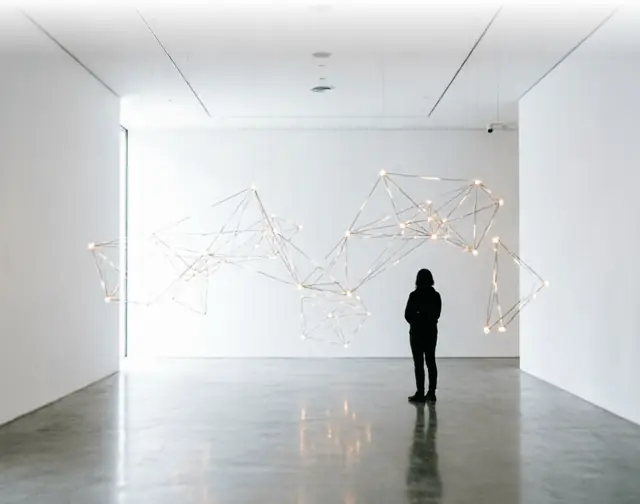
AI-generated image Request a demoOn the back of the card
In Google Wallet, these details appear when the customer taps the card.
- Date
- Sat 13 Mar 2027
- Entry slot
- 15:30 – 16:00
- Visitor
- Marco Bellandi
- Rooms
- Halls 1–4
- Exhibition
- Constellations: maps of the night sky, from early star charts to light installations. 12 Feb – 30 May 2027.
- Audio guide
- Scan the code at the entrance of Hall 1.
- Sample pass
- Designed by SOGNI DIGITALI to show what a Google Wallet pass can look like. Fictional brand, people and data: not valid for entry or travel.
Sample card for a fictional brand, designed by SOGNI DIGITALI.
Loyalty
Points, tiers and membership on the lock screen. Each tier gets its own colour and picture, so customers see how far they have come.
- Request a demo
Atelier Lune · Silk
Loyalty card, Silk tier
Sample Atelier LuneAtelier LuneLune CirclePoints320TierSilk

AI-generated image Request a demoOn the back of the card
In Google Wallet, these details appear when the customer taps the card.
- Member
- Elena Sarti
- Next tier
- Velvet in 680 pts
- Silk perks
- Birthday gift · Members’ preview of new collections
- Tiers
- Silk from 0 pts · Velvet from 1,000 pts · Cashmere from 2,500 pts · Tier kept until 31 Dec 2027
- Sample pass
- Designed by SOGNI DIGITALI to show what a Google Wallet pass can look like. Fictional brand, people and data: not valid for entry or travel.
Sample card for a fictional brand, designed by SOGNI DIGITALI.
- Request a demo
Atelier Lune · Velvet
Loyalty card, Velvet tier
SampleAtelier LuneAtelier LuneLune CirclePoints1,740TierVelvet
AI-generated image Request a demoOn the back of the card
In Google Wallet, these details appear when the customer taps the card.
- Member
- Elena Sarti
- Next tier
- Cashmere in 760 pts
- Velvet perks
- Silk perks + free alterations · Private shopping evenings
- Tiers
- Silk from 0 pts · Velvet from 1,000 pts · Cashmere from 2,500 pts · Tier kept until 31 Dec 2027
- Sample pass
- Designed by SOGNI DIGITALI to show what a Google Wallet pass can look like. Fictional brand, people and data: not valid for entry or travel.
Sample card for a fictional brand, designed by SOGNI DIGITALI.
- Request a demo
Atelier Lune · Cashmere
Loyalty card, Cashmere tier
SampleAtelier LuneAtelier LuneLune CirclePoints3,180TierCashmere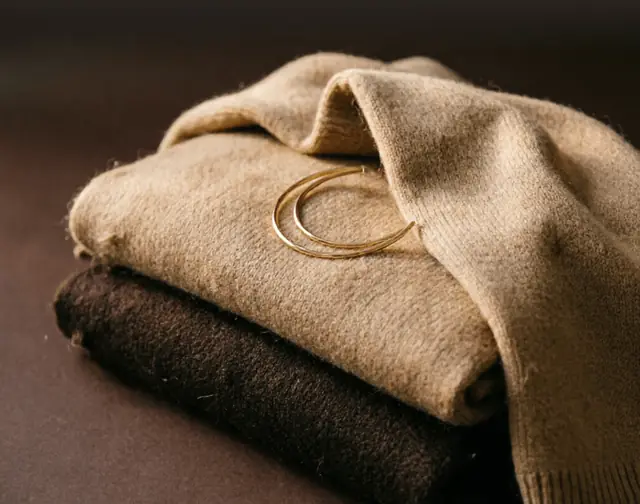
AI-generated image Request a demoOn the back of the card
In Google Wallet, these details appear when the customer taps the card.
- Member
- Elena Sarti
- Next tier
- Top tier reached
- Cashmere perks
- Velvet perks + personal stylist · Gift wrapping on every order
- Tiers
- Silk from 0 pts · Velvet from 1,000 pts · Cashmere from 2,500 pts · Tier kept until 31 Dec 2027
- Sample pass
- Designed by SOGNI DIGITALI to show what a Google Wallet pass can look like. Fictional brand, people and data: not valid for entry or travel.
Sample card for a fictional brand, designed by SOGNI DIGITALI.
- Request a demo
Forgeline Club
Gym membership card
Sample Forgeline ClubSample · MemberDavide Rinaldi

AI-generated image Request a demoOn the back of the card
In Google Wallet, these details appear when the customer taps the card.
- Member no.
- FGC-208417
- Plan
- Full Access
- Valid until
- 31 Dec 2027
- Home club
- Turin Centre
- Opening hours
- Mon–Fri 6:00–23:00 · Sat–Sun 8:00–20:00
- Included
- Gym floor · Group classes · Sauna
- Entry
- Scan the code at the turnstile.
- Sample pass
- Designed by SOGNI DIGITALI to show what a Google Wallet pass can look like. Fictional brand, people and data: not valid for entry or travel.
Sample card for a fictional brand, designed by SOGNI DIGITALI.
Travel
Boarding passes and train tickets with times, seat and gate, readable at a glance.
- Request a demo
Cirrova Air
Boarding pass, Turin to Paris
Sample CR 214TRN07:10CDG08:35Thu, 20 May 2027

AI-generated image Request a demoOn the back of the card
In Google Wallet, these details appear when the customer taps the card.
- Passenger
- Sofia Lombardi
- Seat
- 14A
- Boarding
- 06:35
- Gate
- 12
- Group
- 2
- Flight
- CR 214 · Turin (TRN) → Paris-Charles de Gaulle (CDG) · Thu 20 May 2027 · 07:10 → 08:35
- Gate closes
- 06:55
- Baggage
- 1 cabin bag + 1 personal item
- Booking reference
- K7QX2M
- Sample pass
- Designed by SOGNI DIGITALI to show what a Google Wallet pass can look like. Fictional brand, people and data: not valid for entry or travel.
Sample card for a fictional brand, designed by SOGNI DIGITALI.
- Request a demo
Northline Rail
Train ticket, Turin to Milan
Sample Northline RailTorino Porta Nuova08:10Milano Centrale09:12

AI-generated image Request a demoOn the back of the card
In Google Wallet, these details appear when the customer taps the card.
- Date
- Thu 22 Apr 2027
- Train
- NL 2716
- Coach
- 6
- Seat
- 8D
- Class
- Standard
- Passenger
- Tommaso Galli
- Platform
- Shown on the departure boards 20 min before
- Sample pass
- Designed by SOGNI DIGITALI to show what a Google Wallet pass can look like. Fictional brand, people and data: not valid for entry or travel.
Sample card for a fictional brand, designed by SOGNI DIGITALI.
Hospitality & access
Room cards, badges, student cards and appointments: the details your guests look for, without opening an app.
- Request a demo
The Ashmere Hotel
Hotel room card with Wi-Fi
Sample The Ashmere HotelSample · Your roomRoom 412

AI-generated image Request a demoOn the back of the card
In Google Wallet, these details appear when the customer taps the card.
- Guest
- Claire Dumont
- Nights
- 3
- Check-in
- 7 Oct · 15:00
- Check-out
- 10 Oct · 11:00
- Stay
- Thu 7 – Sun 10 Oct 2027
- Wi-Fi
- Network: Ashmere-Guest · Password: lakeview412
- Breakfast
- 7:00–10:30 · Garden room, ground floor
- Concierge
- Dial 9 from your room, day and night
- Address
- Paris, France
- Sample pass
- Designed by SOGNI DIGITALI to show what a Google Wallet pass can look like. Fictional brand, people and data: not valid for entry or travel.
Sample card for a fictional brand, designed by SOGNI DIGITALI.
- Request a demo
FutureForm Expo 2027
Trade show badge
Sample Sample · ExhibitorSara Conti
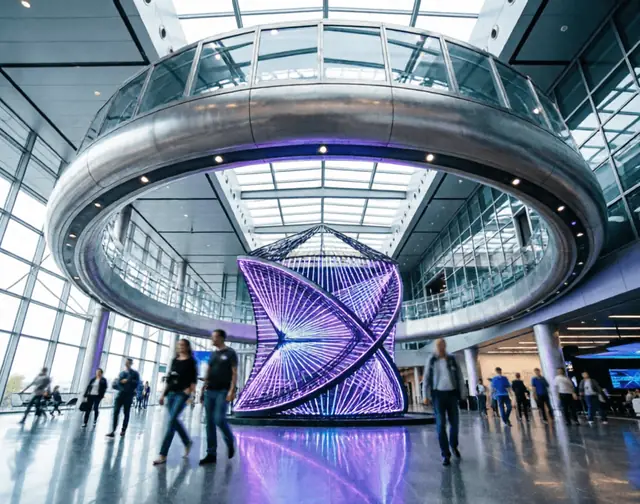
AI-generated image Request a demoOn the back of the card
In Google Wallet, these details appear when the customer taps the card.
- Company
- Vellura Labs
- Access
- Exhibitor · All halls
- Dates
- 14–16 Sep 2027
- Badge no.
- FFX27-E-01934
- Venue
- Exhibition centre, Turin
- Hours
- 9:00–18:00 · Exhibitors from 7:30
- Halls
- Halls 1–5 · Conference stage · Exhibitor lounge
- Sample pass
- Designed by SOGNI DIGITALI to show what a Google Wallet pass can look like. Fictional brand, people and data: not valid for entry or travel.
Sample card for a fictional brand, designed by SOGNI DIGITALI.
- Request a demo
Brightfield School of Design
Student card
Sample Brightfield School of DesignSample · StudentNora Valli

AI-generated image Request a demoOn the back of the card
In Google Wallet, these details appear when the customer taps the card.
- Student no.
- BSD-2027-0458
- Programme
- BA Product Design
- Year
- 2nd year
- Valid until
- 31 Dec 2027
- Campus
- Turin
- Library
- Show this card at the desk to borrow books and tools.
- Photo
- A real student card can show the student’s own photo here.
- Sample pass
- Designed by SOGNI DIGITALI to show what a Google Wallet pass can look like. Fictional brand, people and data: not valid for entry or travel.
Sample card for a fictional brand, designed by SOGNI DIGITALI.
- Request a demo
Lather & Line
Barber appointment
Sample Lather & LineSample · AppointmentSat 6 Feb 2027 · 10:30

AI-generated image Request a demoOn the back of the card
In Google Wallet, these details appear when the customer taps the card.
- Service
- Haircut & beard trim
- Barber
- Matteo
- Duration
- 45 min
- Where
- Via Po, Turin
- Client
- Tommaso Villa
- Need to change?
- Reschedule up to 2 hours before your appointment.
- Sample pass
- Designed by SOGNI DIGITALI to show what a Google Wallet pass can look like. Fictional brand, people and data: not valid for entry or travel.
Sample card for a fictional brand, designed by SOGNI DIGITALI.
All brands, people and bookings shown are fictional. AI-generated photos.
Three steps, from your logo to your customers’ phones.
We prepare your cards
Your logo, colours and details: we design each card and you approve it.
You send them
By link, email or a QR code in your shop: the customer adds it to Google Wallet in one tap.
They stay up to date
A new logo, an address, points: the card changes on the phone, with nothing to reinstall.
About Wallet cards.
Do my customers need to install an app?
What about iPhone?
Can I change a card I have already sent?
What does a printed NFC card do?
When can I have my cards?
Your customers already have their phones. Give them your card.
Tell us which cards you need: business, loyalty, gift or printed.
